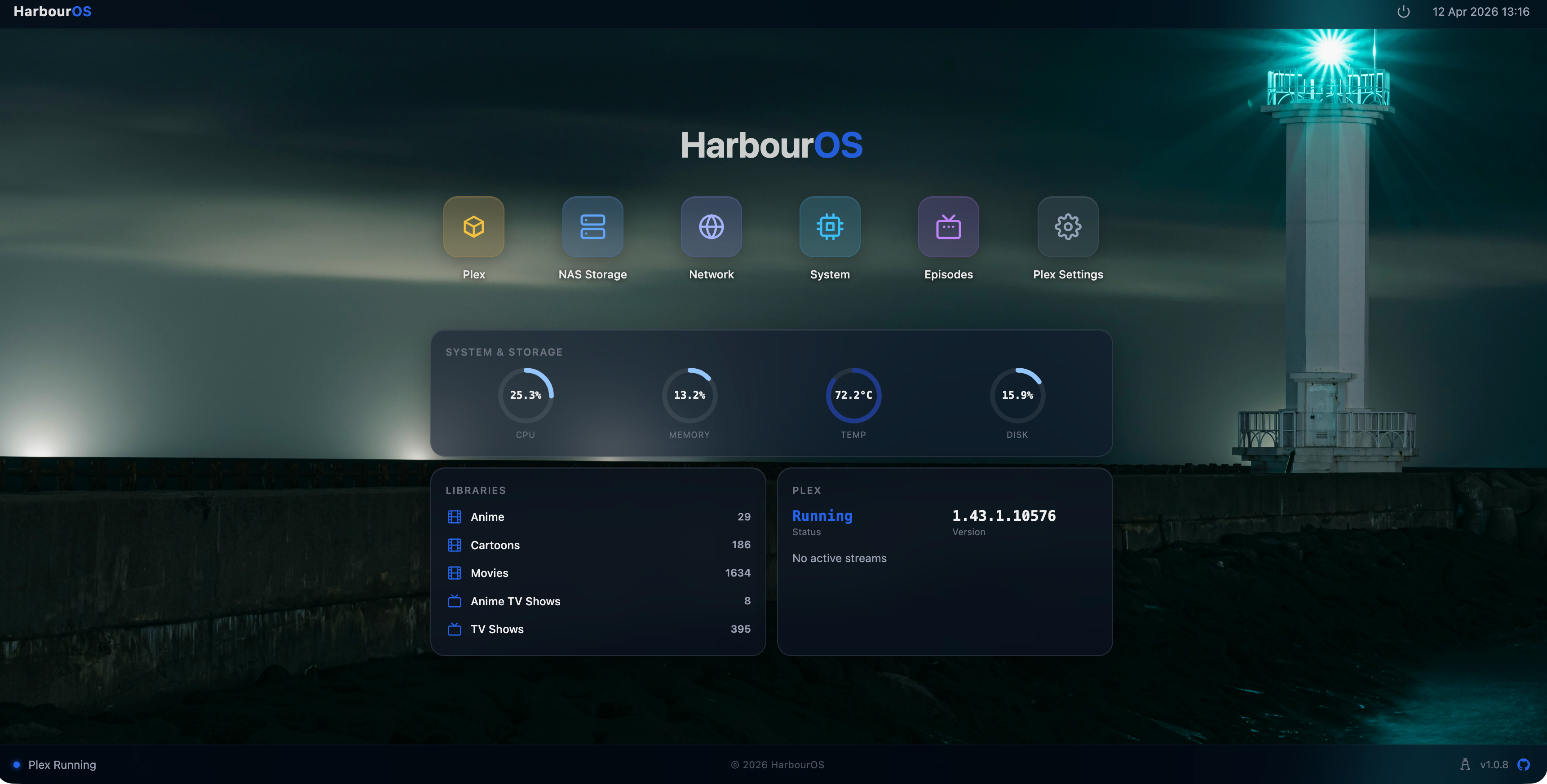
HarbourOS turns your Pi 5 into a dedicated, native Plex Media Server. No Docker overhead. No generic app store. Just Plex — optimised for direct play, managed from a beautiful web dashboard.
curl -sL https://harbouros.eu/install.sh | sudo bash
A complete, purpose-built appliance OS. Every feature exists to make your Plex server better.
Start, stop, and restart Plex with one click. View real-time logs, monitor library status, and let HarbourOS handle updates automatically. Zero command line.
Auto-discover NFS and SMB shares on your network. Mount and manage network storage visually — no terminal, no fstab. Mounts survive reboots.
Compare your Plex TV library against 185,000+ shows and 5.7M episodes. See exactly which episodes are missing, per season, with completion tracking.
Run a Flux CUMULUS node alongside Plex on the same Pi 5. HarbourOS configures Insight Explorer mode, manages fluxd and fluxbenchd, and monitors your node status, benchmark results, wallet balance, and earnings — all from the dashboard.
Real-time CPU, RAM, temperature, and disk metrics. Ring gauges. Service status at a glance.
See who's streaming, on which device, and whether they're direct playing or transcoding.
fail2ban, CSRF protection, SSH hardening, and rate limiting — active by default and visible in the Security tab.
Built for one thing: Plex on a Pi.
Not an app store. Not a NAS OS.
Just your media server, done right.
HarbourOS is a single-purpose appliance OS. Every feature, every default, every trade-off is made for one goal: a reliable, low-maintenance Plex server that just works.
HarbourOS v1.1.0 adds first-class Flux CUMULUS node support. One Pi 5, two revenue streams — your media server and your infrastructure node, managed from the same dashboard.
HarbourOS configures fluxd with Insight Explorer mode — the only configuration that eliminates P2SH transaction crashes without patching FluxOS source. Install, sync, and confirm your Cumulus node from the web UI.
insightexplorer=1 routes FluxOS through the safe processInsight() code path.From unboxing to streaming — no Linux experience required.
Flash the image to an SD card, or install remotely over SSH onto a running Pi.
Open the web dashboard and connect your NAS. Devices are auto-discovered on your network.
Plex is pre-installed and ready. Add your libraries and stream to any device.
There are other ways to run Plex on a Pi. Here's why HarbourOS is purpose-built.
Built for Raspberry Pi 5 and integrates with the storage and clients you already use.
HarbourOS strips out everything that isn't Plex. Here's what that looks like in practice.
| Metric | HarbourOS | CasaOS + Docker | Bare Docker |
|---|---|---|---|
| Plex RAM | ~310 MB | ~500 MB+ | ~400 MB+ |
| Setup time | ~10 min | 30+ min | 45+ min |
| Plex-optimised | Purpose-built | Generic OS | Partial |
| Security hardening | Built in | Manual | Manual |
| Admin UI | Plex dashboard | Generic app store | None |
Plex process RSS measured on Raspberry Pi 5 (8 GB) with one NAS mount active. CPU idle at the same time. Boot time is an estimate.
Built in the open. Progress is always visible.
HarbourOS is free, MIT-licensed, and developed publicly on GitHub. Contributions, issues, and ideas are always welcome.
Free, open source, and yours forever. No subscriptions, no cloud dependency.
curl -sL https://harbouros.eu/install.sh | sudo bash